Planning a security camera setup in Chester PA? Walk through the full install process step by step, from planning to going live.
Home security has changed a lot in the past ten years. There was a time when cameras meant grainy black and white footage stored on a clunky DVR in your basement. Now you can pull up live HD video on your phone from anywhere in the world. The technology has gotten better, the prices have come down, and more families are installing systems at home than ever before. But the install part still trips people up.
If you live in Chester, you already know home security is not optional. The city has its share of property crime, and a good camera system gives you something most homeowners only realize they need after something goes wrong. Real footage. Real records. Real peace of mind. The team at Safe Protect has been installing camera systems across the Philadelphia area for years, and we want to walk through how a real install actually happens from start to finish.
Why Camera Setup Is Not as Simple as the Box Makes It Look
Walk into any big-box store and you will see camera kits that promise easy DIY install. Plug in a few cameras, connect to your wifi, done. The reality is messier. We get calls every month from folks who tried the DIY route and ended up with cameras that drop signal, cover the wrong angles, or refuse to record at night.
A real security camera setup involves planning where each camera goes, running power and data cables, drilling through walls or soffits, configuring the recording system, setting up motion zones, and making sure everything works together on your network. Getting one piece wrong throws off the rest.
A 2024 report from the Electronic Security Association found that 38% of DIY camera installs needed professional rework within the first year. Most of those problems came from poor camera placement, weak signal coverage, or incorrect setup of the recording system. So the upfront savings often turn into a bigger bill later.
Have you ever bought a tech product, opened the box, and realized you needed an electrical engineering degree to set it up properly? That is what camera systems feel like to most folks.
The Full Step by Step Process
Here is how a professional camera install goes from the first phone call to the day everything goes live. We break it down so you know what to expect at each stage.
Step 1: Site Assessment
Before any equipment gets ordered, an installer comes out and walks the property with you. They look at entry points. Driveways. Backyard access. Blind spots from existing lighting. They check where power outlets sit and where cable runs are possible.
This walk-through usually takes 30 to 60 minutes. The installer takes notes, photos, and rough measurements. They ask about your priorities. Do you mostly want to watch the front door? Are you worried about package theft? Do you want indoor coverage too? Each answer shapes the camera count and placement.
Step 2: System Design
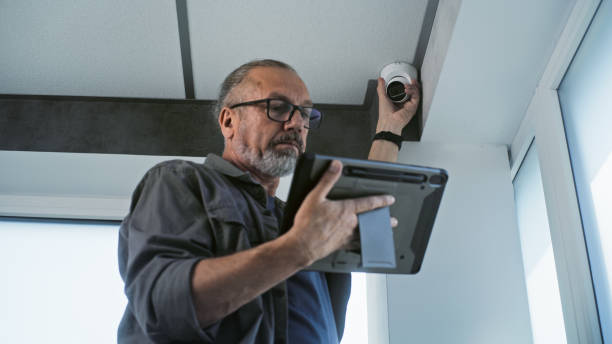
Based on the walk-through, the installer puts together a proposal. This includes how many cameras you need, what type each one should be, where the recorder will sit, and how everything will connect. Most homes in Chester need between four and eight cameras for solid coverage.
The proposal also lists the cabling type, recording capacity, and any extra parts like network switches or weatherproof boxes. A good installer explains every line item so you know exactly what you are paying for.
Step 3: Camera Selection
Different cameras work for different spots. Here is a side by side of the main types:
| Camera Type | Best For | Typical Cost | Special Features |
| Bullet camera | Driveways, long views | $80-$200 each | Weatherproof, long-range |
| Dome camera | Entry doors, ceilings | $100-$250 each | Vandal resistant, wide angle |
| PTZ camera | Large yards, parking lots | $300-$800 each | Pan, tilt, zoom remote |
| Doorbell camera | Front entry | $150-$300 each | Two-way audio |
| Indoor camera | Inside the home | $60-$150 each | Smaller, less weatherproof |
Most setups mix types. Bullet cameras for the long views, doorbell cam at the front, dome cameras under the soffits, maybe a PTZ in the backyard.
Step 4: Cable Routing and Pre-Wire
This is the part DIY folks usually skip and regret later. Wireless cameras sound great until the wifi drops or the battery dies. Wired cameras with proper data and power cables are way more reliable.
The installer plans the cable routes from each camera back to the recorder. They drill small holes through siding, soffits, or attic spaces. Cables get pulled through the walls neatly. Outdoor sections get sealed with weatherproof grommets to keep moisture out. This step usually takes the longest part of the project, often a full day or two for a normal home.
Step 5: Camera Mounting
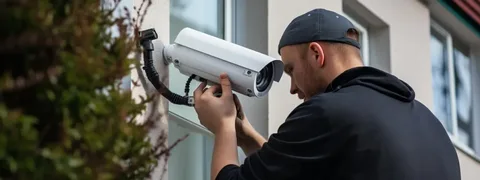
Each camera gets mounted at the right height and angle. Too low and people can knock it loose. Too high and you lose face detail. Good installers mount most cameras between 8 and 10 feet high, angled down at about 30 to 40 degrees.
This is also where placement experience matters. We have seen DIY cameras pointed straight at the sun, which causes glare every morning. Cameras pointed at white walls that wash out at night. Cameras hidden behind shrubs that grow up and block the view by summer. A trained installer thinks about all of that before drilling holes.
Step 6: Recorder and Storage Setup
The recorder, called an NVR or DVR depending on the system, gets installed in a central spot inside your home. Often a closet, an office, or a utility room. It needs power, an internet connection, and good ventilation.
Storage capacity matters here. A typical 8-camera system needs 4TB to 8TB of hard drive space to record continuously for 30 days. Some systems use cloud storage instead or as a backup. The team that handles Best Home security cameras in Chester, PA can walk you through which option fits your needs better.
Step 7: Network Configuration
Cameras need to be on your network, accessible from your phone, and protected from outside hackers. This step involves configuring IP addresses, setting up port forwarding or cloud relay, and locking down the system with strong passwords.
A 2023 report from the FBI Internet Crime Complaint Center showed that over 30,000 home security cameras get hacked each year, mostly because of weak default passwords or poor network setup. A professional install fixes this with proper security practices from day one.
Step 8: Motion Zones and Recording Settings
Most modern systems let you set motion zones, which are specific areas in each camera view where motion triggers a recording or alert. Setting these right matters a lot. Too sensitive and you get alerts every time a leaf blows past. Too loose and you miss real events.
A good installer walks you through how to set these zones, schedule recording times, and tune the sensitivity for each camera based on what it watches.
Step 9: Mobile App Setup
Almost every modern system comes with a phone app. The installer helps you download the app, log in, connect to your system, and walk through how to view live feeds, play back recordings, and set up alerts. They also show you how to share access with family members so multiple people can check the cameras.
Step 10: Final Walkthrough and Training
Once everything is installed, the installer walks the property with you. You test each camera together. You check the recording. You confirm alerts work on your phone. They show you how to do basic things like changing a password, scrolling through old footage, or adding a camera later.
A Story From a Chester Install
We had a family in Chester call us last fall after their car got broken into twice in a month. Their old DIY camera system had not picked up either incident because the cameras were aimed wrong and the night vision was too weak.
We did a fresh site walk and found three major issues with the old setup. The driveway camera was angled too low and only caught feet. The front porch camera had wifi signal drops every few hours. The backyard had no coverage at all.
The new install used four bullet cameras at the corners, a doorbell cam at the front, and a dome camera near the back door. Everything ran on hardwired cable to a new NVR with 6TB of storage. Total cost came to about $2,400 including labor and equipment. Three weeks later, someone tried to break in through the side gate. The cameras caught everything in clear HD. The police had usable footage within hours. The family told us it paid for itself the first time it actually worked.
Wrapping It Up
A real security camera setup takes planning, the right equipment, and someone who knows how to run cable and configure networks. The DIY route looks cheap on paper but often turns into more cost and more headache when it fails. Hire a crew that does a real site walk, picks the right camera types, runs proper hardwired cables, sets up secure network access, and walks you through how to actually use the system. The peace of mind that comes from a working setup is worth every dollar. If you want help with Expert Security camera setup in Chester, PA, our team is happy to come out and walk through your property.
Frequently Asked Questions
How much does a security camera setup cost in Chester PA?
Most home installs run between $1,200 and $3,500 depending on how many cameras you need and the equipment quality. A basic four-camera setup with a recorder lands closer to $1,500. Eight cameras with PTZ options and bigger storage can push past $3,000. The labor portion usually runs $400 to $1,000 depending on cable routing complexity.
How many cameras do I really need for my home?
Most homes in Chester need between four and eight cameras for solid coverage. Smaller properties or townhomes can work with three or four. Larger homes with detached garages or big yards often need six to eight or more. The site walk with an installer is where the right number gets figured out based on your specific layout.
Can I view my cameras from my phone when I am away?
Yes, almost every modern security camera system includes phone app access. You can watch live feeds, play back recorded footage, and get alerts when motion happens, all from anywhere with an internet connection. A good installer sets this up for you during the install and shows you how everything works before they leave.
Do security cameras work at night?
Yes, most modern cameras have infrared night vision that works in total darkness up to 50 or 100 feet, depending on the model. Color night vision is also becoming common, which uses ambient light to give clearer footage at night than basic infrared. Camera placement near porch lights or street lamps makes night footage even better.
How long does a camera installation usually take?
Most home installs take one to two full days. The first day is usually for cable routing and mounting cameras. The second day handles recorder setup, network configuration, motion zones, and the final walkthrough. Bigger projects with eight or more cameras or complex cable runs can stretch to three days.