
Tag: Security Surveillance Cameras

  • Professional Security Surveillance Cameras in Darby, PA
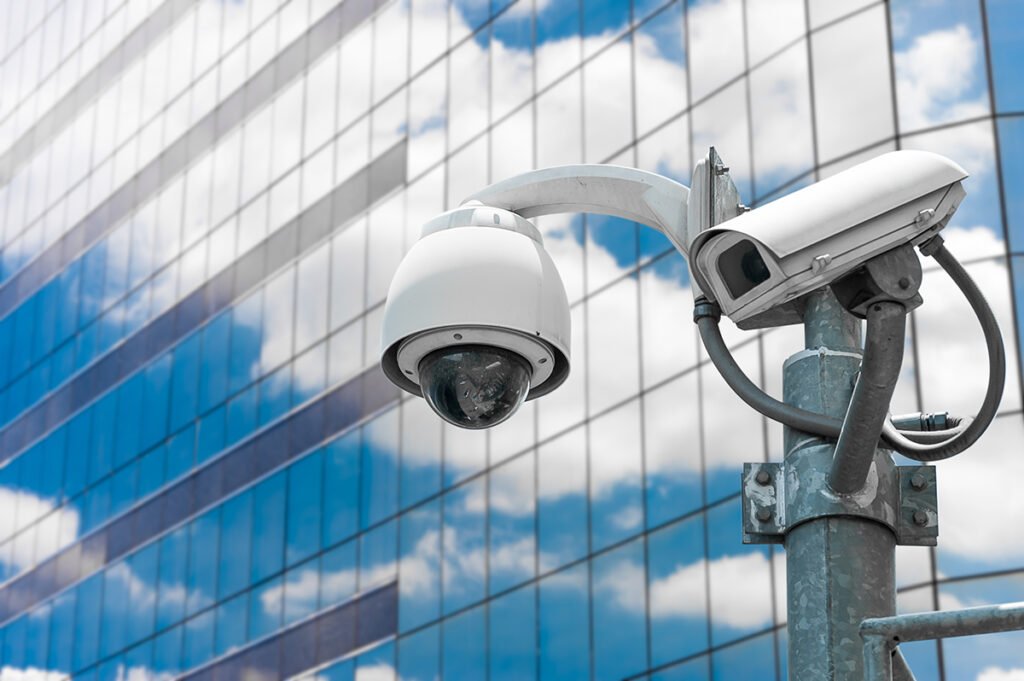
    Professional Security Surveillance Cameras in Darby, PA

    Learn how security surveillance cameras in Darby, PA can improve property visibility, camera coverage, remote monitoring, recording, and everyday security management.

    Security cameras can give homeowners and businesses a clearer view of entrances, parking areas, driveways, hallways, loading areas, and other important parts of a property. However, useful surveillance depends on more than mounting cameras wherever space is available. Safe Protect Home provides security-system installation for residential and commercial properties, including camera surveillance, access control, alarms, intercoms, and connected security technology. A well-planned camera system should consider property layout, camera placement, viewing angles, lighting, recording needs, network connections, and how users want to access footage. For property owners in Darby, Philadelphia, and surrounding Pennsylvania communities, these decisions can affect how useful the finished surveillance system is during daily monitoring or after an incident. Indoor and outdoor cameras may serve different purposes, while remote viewing and motion alerts can make monitoring more convenient. This guide explains camera placement, recording options, installation planning, remote access, common mistakes, and maintenance considerations.

    Why Camera Placement Matters

    A surveillance camera is only useful when it captures the area property owners actually need to monitor.

    Cover Important Entry Points

    Exterior doors, driveways, gates, parking areas, loading zones, and other access points are common locations for cameras.

    The goal should be to capture useful activity without creating unnecessary overlap between cameras.

    A camera mounted too high may provide a wide view but make important details harder to see. A camera installed too low may be easier to obstruct or tamper with.

    Reduce Blind Spots

    Walls, landscaping, parked vehicles, columns, signs, and building corners can create areas that one camera cannot see.

    Professional security surveillance camera installation can account for property layout and help position cameras to provide useful coverage while reducing avoidable blind spots.

    Placement should be planned before permanent wiring and mounting are completed.

    Choosing Indoor and Outdoor Cameras

    Residential and commercial properties often need more than one camera type.

    Outdoor Surveillance Cameras

    Outdoor cameras may be used around entrances, parking lots, walkways, gates, detached buildings, or exterior storage areas.

    Equipment selected for outdoor use should be appropriate for the installation environment.

    Lighting should also be considered because the same location can look very different during the day and at night.

    Indoor Cameras

    Indoor cameras can provide visibility around entrances, reception areas, hallways, common spaces, inventory areas, and other locations where monitoring is appropriate.

    The exact placement should reflect the purpose of the camera rather than simply maximizing the number of devices.

    A business, for example, may need different coverage from a single-family home.

    Understanding Video Quality and Viewing Angles

    Higher camera resolution can provide more image detail, but resolution alone does not determine whether footage will be useful.

    Match the Camera to the Area

    A wide viewing angle can cover a larger space, while a more focused view may capture better detail in a smaller target area.

    The correct choice depends on what needs to be monitored.

    A parking area may need broad coverage, while a doorway may benefit from a more focused view of people entering and leaving.

    Consider Lighting Conditions

    Windows, bright exterior lighting, dark corners, shadows, and changing daylight can affect camera images.

    Night-vision capability may be useful for locations that need monitoring after dark, but camera position and surrounding lighting still matter.

    Testing the view under different conditions can help confirm that the camera captures useful footage.

    Recording and Storage Planning

    A surveillance system should have a clear plan for what happens to recorded video.

    Determine How Long Footage Is Needed

    Storage needs depend on camera count, resolution, recording schedule, and how long footage should remain available.

    Continuous recording can require more storage than motion-based recording.

    Property owners should think about how they would use recorded footage before choosing a storage setup.

    Make Playback Easy to Manage

    Recorded video is more useful when users can locate the correct date, time, or camera without unnecessary difficulty.

    The system should be configured so authorized users understand how to review footage and save relevant clips when needed.

    This is especially important for commercial properties with multiple cameras.

    Security Camera Installation in Darby, PA

    Safe Protect Home’s Darby service page specifically supports indoor and outdoor surveillance camera installation with HD video, remote viewing, motion detection, and customized camera placement.

    Property owners considering security camera installation in Darby, PA should begin by identifying the locations they most want to monitor.

    Residential Camera Planning

    Homeowners may prioritize front doors, driveways, side entrances, backyards, garages, and other exterior areas.

    Interior cameras may also be considered for selected common spaces when appropriate.

    Instead of trying to cover every square foot, homeowners should focus on locations where visibility is most useful.

    Business Surveillance Needs

    Businesses may need cameras around entrances, cash-handling areas, parking lots, storage rooms, loading zones, or customer spaces.

    The system should reflect how employees, customers, deliveries, and visitors move through the property.

    A site review can help determine whether fewer carefully positioned cameras may provide better coverage than a larger number installed without a clear plan.

    Surveillance Camera Services in Philadelphia, PA

    Safe Protect Home also supports residential and commercial surveillance systems for Philadelphia properties, including HD cameras, remote access, alerts, and integrated security features.

    Property owners researching surveillance camera services in Philadelphia, PA should think about how camera monitoring will work alongside other security measures.

    Residential Monitoring

    Homeowners may want to check live camera feeds while away from home or receive notifications when compatible systems detect activity.

    Remote viewing can be convenient, but users should understand how the app, network, passwords, and recording features work before relying on the system.

    Commercial Monitoring

    Offices, retail stores, warehouses, and other businesses may require more cameras and more structured recording than a typical home.

    Camera placement should account for customer areas, employee zones, entrances, inventory, parking, and other operational needs.

    Commercial users should also decide who will have permission to view live video and recorded footage.

    Remote Viewing and Mobile Access

    Many modern camera systems allow users to access compatible cameras through smartphones, tablets, or computers.

    Live Camera Viewing

    Remote viewing allows authorized users to check selected camera feeds without being physically present at the property.

    This can be useful for homeowners while traveling or for business owners who manage multiple areas.

    The feature still depends on the camera system, network connection, and account configuration.

    Motion Notifications

    Compatible systems may send alerts when movement is detected.

    Notifications should be configured carefully. If sensitivity is too high or the monitored area includes constant movement, users may receive excessive alerts.

    Adjusting detection areas and settings can make notifications more practical.

    Wired and Wireless Camera Considerations

    The right connection method depends on the property and installation requirements.

    Wired Systems

    Wired cameras can provide stable connections where structured cabling is practical.

    Planning cable routes before installation can help keep wiring organized and reduce visible cable runs.

    New construction and major renovations may provide especially useful opportunities to plan security cabling before walls and ceilings are finished.

    Wireless Systems

    Wireless connectivity can reduce some cabling requirements, but cameras may still need power and dependable network coverage.

    Weak wireless signals can affect system performance.

    Before installation, the network should be considered along with camera locations rather than treated as a separate issue.

    Maintaining a Surveillance Camera System

    Security cameras should not be installed and then ignored indefinitely.

    Check Camera Views

    Landscaping growth, new signs, furniture, stored materials, or changes around the property can block a previously clear view.

    Periodically check each camera to confirm that important areas remain visible.

    Keep Lenses Clear

    Dust, moisture, cobwebs, or other debris can reduce image clarity.

    Outdoor cameras may need more frequent visual checks because they are exposed to changing conditions.

    Cleaning should follow the equipment manufacturer’s recommendations.

    Test Recording and Remote Access

    Property owners should occasionally confirm that cameras are recording as expected and that authorized users can still access footage.

    Finding an account, storage, or recording problem after an incident is much less useful than discovering it during a routine check.

    Choosing a Security Camera Installer

    Before installation begins, property owners should understand what the proposed system is designed to accomplish.

    Ask About Camera Placement

    Request an explanation of why each camera location is recommended.

    The answer should connect the placement to entrances, viewing angles, blind spots, lighting, or other property conditions.

    Discuss Recording and Storage

    Ask where footage will be stored, how long it may remain available, and how users can retrieve it.

    The installer should also explain the basic recording settings and how they can affect storage needs.

    Review Remote Access

    If mobile viewing is important, discuss app setup, account access, notifications, and network requirements.

    Property owners should know how to use the system before installation is considered complete.

    Conclusion

    Security surveillance cameras can improve property visibility when the system is planned around the actual layout and monitoring needs of a home or business. Camera location, viewing angle, lighting, recording, storage, networking, and remote access all influence how useful the system becomes.

    For property owners in Darby and Philadelphia, the strongest approach is to begin with the areas that matter most, such as entrances, parking areas, driveways, common spaces, or other key access points. Indoor and outdoor cameras can then be selected and positioned around those priorities.

    Regular checks are also important after installation. Camera views can become blocked, lenses can become dirty, storage settings can change, and remote access problems can develop.

    A professionally planned system should give authorized users practical visibility without adding unnecessary equipment. Clear installation goals, thoughtful placement, proper configuration, and routine maintenance can help property owners get more value from their surveillance cameras.

    Frequently Asked Questions

    Where should security cameras be installed?

    Common locations include entrances, driveways, parking areas, gates, hallways, loading areas, and other points where useful activity needs to be monitored. Placement should reflect the property’s layout and security priorities.

    Do I need both indoor and outdoor security cameras?

    Not every property needs both. Outdoor cameras focus on exterior activity, while indoor cameras can monitor selected interior spaces. The right combination depends on the property and monitoring goals.

    Can security cameras be viewed from a smartphone?

    Many compatible systems support remote viewing through mobile apps or other connected devices. The exact features depend on the installed equipment, network connection, and system configuration.

    How much recorded video can a camera system store?

    Storage depends on the number of cameras, video resolution, recording method, available storage capacity, and retention settings. These factors should be discussed during system planning.

    Why does my camera have a blind spot?

    Blind spots can result from camera position, walls, landscaping, parked vehicles, building corners, or an unsuitable viewing angle. Adjusting placement or adding coverage may correct the problem.

    How often should security cameras be checked?

    Camera views, lenses, recording, storage, alerts, and remote access should be checked periodically. Any noticeable change in image quality or system operation should be investigated.