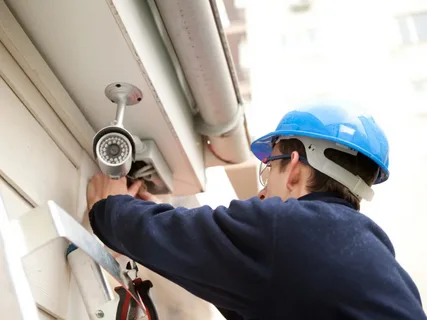

Learn how CCTV setup and maintenance in Chester, PA covers camera placement, wiring, storage, remote access, upkeep, system testing, and common security needs.
A security camera system only works well when the cameras, recording equipment, network, power supply, and viewing settings support one another. Safe Protect Home approaches CCTV projects by looking at property layout, entry points, lighting, coverage needs, storage, and ongoing system care. Property owners considering CCTV setup and maintenance in Chester, PA should plan the system around useful coverage rather than simply installing the highest possible number of cameras.
In Philadelphia, PA, property owners considering wireless CCTV installation may also need to think about Wi-Fi strength, camera placement, power access, network security, and recording reliability. Wireless cameras can reduce some cabling needs, but they still require thoughtful planning.
A useful CCTV system should capture important activity clearly and remain easy to monitor and maintain.
CCTV Setup and Maintenance Should Cover
Professional CCTV setup and maintenance in Chester, PA involves more than mounting cameras on exterior walls.
Each camera should serve a defined purpose. One may monitor a front entrance, while another covers a driveway, side access point, hallway, or rear area.
Important planning factors include:
- Entry and exit points
- Camera viewing angles
- Lighting conditions
- Blind spots
- Recording quality
- Storage capacity
- Internet connection
- Power availability
- Remote viewing needs
- Weather exposure
- Camera mounting height
- Ongoing maintenance access
Planning these details before installation can prevent gaps in coverage later.
CCTV Setup and Maintenance Needs Regular Testing
CCTV setup and maintenance should include routine checks because a camera that appears to be operating may not always record useful footage.
A dirty lens can reduce image quality. A changed camera angle may leave an important area outside the frame. Storage problems can prevent recordings from being saved for the expected length of time.
Testing helps confirm that the system still performs the job it was designed to do.
Wireless CCTV Installation in Philadelphia, PA
A wireless CCTV installation in Philadelphia, PA can work well when the property has dependable network coverage and suitable camera locations.
Wireless systems usually transfer video over a network rather than through a dedicated video cable. However, the cameras may still require a power source unless they use batteries or another power arrangement.
Distance from the router can affect performance.
Walls, floors, building materials, network congestion, and nearby devices may also influence signal strength.
Before installing wireless cameras, property owners should confirm that important locations have enough network coverage for consistent video transmission.
Wired and Wireless CCTV Systems Compared
Both options can provide useful security coverage, but their installation requirements differ.
| Feature | Wired CCTV | Wireless CCTV |
| Video Connection | Physical cable | Network connection |
| Signal Stability | Usually consistent | Depends on network quality |
| Installation | More cabling required | Less video cabling |
| Power | Usually wired | Wired or battery options |
| Expansion | Depends on recorder capacity | Depends on network and system |
| Maintenance Focus | Cables and equipment | Network, signal, and equipment |
The right option depends on the building, coverage area, equipment location, and how the owner plans to use the system.
Camera Placement Determines Useful Coverage
Camera location can matter as much as camera specifications.
A camera installed too high may capture a large area but provide less useful detail. A camera mounted too low may become easier to damage or obstruct.
Property owners should identify areas where people naturally enter or move through the property.
Common locations include:
- Main entrances
- Rear doors
- Driveways
- Side gates
- Garages
- Loading areas
- Hallways
- Reception areas
- Parking areas
- Other controlled access points
The goal should be useful coverage without unnecessary overlap.
CCTV System Installation and Recording Choices
A CCTV system installation should also account for what happens after the camera captures video.
Some systems record to an on-site DVR or NVR. Others may use cloud storage or a combination of local and remote options.
Storage needs depend on several factors, including:
- Number of cameras
- Video resolution
- Recording schedule
- Frame rate
- Motion-based recording
- Length of recording history needed
Higher-resolution video can provide more detail, but it generally requires more storage.
Property owners should balance image quality with realistic recording needs.
Lighting Can Change Camera Performance
A camera that produces a clear daytime image may perform differently at night.
Exterior lighting, headlights, streetlights, reflections, shadows, and complete darkness can all affect recorded footage.
Camera placement should account for these conditions.
For example, aiming a camera directly toward a bright light source can reduce useful detail in darker parts of the image.
Night vision or low-light capabilities can help, but placement still matters.
Testing cameras during both daytime and nighttime conditions gives a better picture of actual coverage.
Common CCTV Installation Mistakes
One common mistake is placing every camera as high as possible.
Height can protect equipment, but excessive height may reduce the detail needed to identify activity.
Another mistake is ignoring blind spots. One wide-angle camera does not always provide clear coverage of every doorway or corner.
Property owners should also avoid relying on weak Wi-Fi for wireless cameras.
Other mistakes include:
- Choosing too little recording storage
- Forgetting to secure remote-access accounts
- Blocking cameras with trees or decorations
- Ignoring changing lighting conditions
- Failing to test recorded footage
- Installing cameras where maintenance becomes difficult
Good installation should consider what happens months after the cameras go up.
Practical Maintenance Steps for CCTV Systems
Security cameras need periodic attention to continue producing usable recordings.
Property owners can:
- Check camera views for changes.
- Clean lenses when needed.
- Confirm cameras remain securely mounted.
- Test recorded playback.
- Check storage capacity.
- Review date and time settings.
- Test remote viewing.
- Inspect exposed cables and connections.
- Review network performance for wireless cameras.
- Install appropriate software or firmware updates.
Routine checks can reveal small problems before an important recording is needed.
Best Practices for Remote Camera Access
Remote viewing allows property owners to check cameras through a phone, tablet, or computer.
Convenience should not replace basic security.
Use strong, unique passwords for camera and recorder accounts. Avoid leaving default login credentials active after installation.
When the equipment supports additional account security features, property owners should review those options.
Network equipment also needs attention because remote CCTV access depends on more than the cameras themselves.
Keeping account access controlled and system software current can reduce avoidable security risks.
Planning CCTV Around Everyday Property Use
The strongest camera layout reflects how the property operates.
A residential property may focus on entrances, driveways, garages, and rear access. A business may need additional coverage around customer entrances, employee areas, parking lots, inventory, or delivery points.
Property owners should walk through the site before installation and identify:
- Where people normally enter
- Which areas lack natural visibility
- Where valuable items remain
- Which exterior areas stay dark
- Where cameras can receive power
- How equipment can be serviced later
That process usually produces a more useful system than placing cameras based only on appearance.
Conclusion
Planning CCTV system installation requires attention to camera placement, image quality, lighting, storage, power, network performance, remote access, and regular system testing. A well-positioned camera provides little value if it does not record clearly or store footage correctly.
For properties in Chester and Philadelphia, Safe Protect Home can approach CCTV installation around the way each property is used and the areas that require practical coverage. Regular maintenance and testing can help keep cameras, recording equipment, and remote viewing features functioning as intended.
FAQ
How many CCTV cameras does a property need?
The number depends on the building layout, entrances, blind spots, exterior areas, and the level of coverage required. Camera placement usually matters more than simply increasing the camera count.
Is wireless CCTV better than wired CCTV?
Neither option fits every property. Wired systems offer stable connections, while wireless systems can reduce video cabling. Network strength, installation access, power, and coverage needs should guide the choice.
How often should CCTV cameras be checked?
Periodic checks are useful for confirming camera position, image quality, recording, storage, remote access, and equipment condition. Cameras should also be checked after storms, construction, or changes around the property.
How much CCTV recording storage is needed?
Storage depends on camera count, resolution, frame rate, recording schedule, and how long footage needs to remain available.
Why does CCTV footage look different at night?
Low light, bright exterior lights, reflections, headlights, and camera positioning can affect nighttime images. Proper placement and testing under actual nighttime conditions can improve useful coverage.