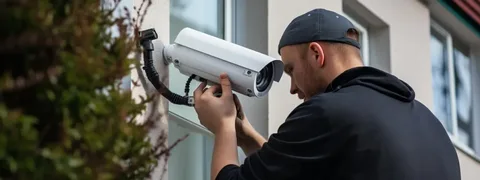
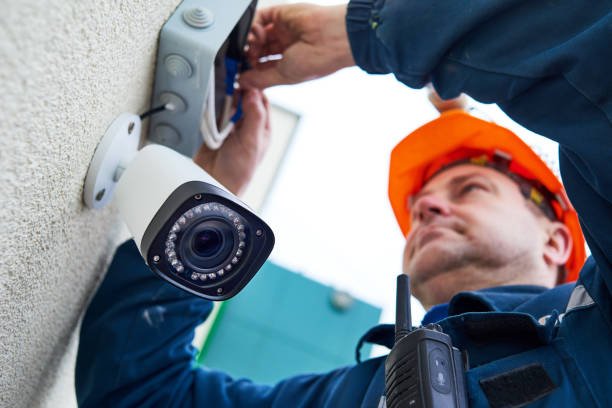
Curious about CCTV camera services in Darby PA? Here’s the full step-by-step from first call to ongoing maintenance.
Folks in Darby ask us about security cameras more than just about any other topic these days. Package theft, car break-ins, the occasional door knock that doesn’t feel right — these are real concerns for homeowners and business owners across Delaware County. Cameras are no longer a luxury reserved for big commercial buildings. They’re standard equipment for protecting normal homes and small businesses.
But what actually happens when you hire a real CCTV crew? A lot of folks have only ever seen the cheap DIY kits at big-box stores. They figure professional install is just the same thing, but more expensive. It’s not.
Today we want to walk you through the real step-by-step process — from your first phone call to the day the cameras are humming along on their own. If you’re thinking about adding cameras to your property, Safe Protect has handled CCTV work across the Philadelphia region for years and we know what good service actually looks like.
Why Process Matters in CCTV Work
Quick reality check before the steps. The difference between a great CCTV install and a bad one isn’t usually the cameras themselves. It’s the process. Where the cameras get placed. How the cables get run. How the system gets configured. How it gets maintained over time.
A cheap kit installed by a friend in an afternoon might work for a few months, then problems start. Cameras lose connection. Footage gets overwritten before you notice an event. Wires get exposed and damaged. A real CCTV service follows a process that prevents all of this.
Have you ever heard a story from a neighbor whose camera system caught something important — or worse, the story where the cameras failed at the exact moment they were needed? Process is what separates those two outcomes.
Step 1: The Initial Phone Call
Every CCTV job starts with a conversation. You call, we ask questions, and we figure out what you actually need. The questions usually include:
- What kind of property is it (home, business, mixed use)?
- What specific concerns are you trying to address?
- How big is the property?
- Do you have existing cameras or are you starting fresh?
- What’s your budget range?
This call usually takes 15 to 30 minutes. By the end, we have a rough idea of scope and you have a rough idea of timeline and cost range. No sales pressure on this call — that comes later, and only if you ask for it.
Step 2: On-Site Walkthrough
If the phone call goes well, we schedule a site visit. This is usually free for residential and small business properties. The walkthrough takes 30 to 60 minutes.
We bring a tape measure, a notepad, and a flashlight for looking at attics and crawlspaces. We walk the perimeter of the property, look at every door and window, check sightlines from potential camera mounting points, and ask about your daily patterns.
This is also when we look at practical install issues. Where’s the electrical panel? What’s the layout of your attic for running cable? Are there any walls we can’t punch through? Is there a closet or utility room where the recording equipment can live?
A good CCTV service spots problems during the walkthrough that a bad one wouldn’t notice until install day.
Step 3: System Design
After the walkthrough, we go away and put together a real design. This usually takes 2 to 5 business days. The design includes:
- Recommended camera count and types
- Specific mounting locations
- Cable run paths
- Recording equipment specs
- Storage capacity calculations
- Network configuration plan
For Darby properties specifically, the design also accounts for local realities. Older row homes have specific cable run challenges. Newer construction has different wiring options. Commercial buildings near Main Street face different lighting conditions than homes off Township Line Road.
Step 4: The Detailed Quote
A real quote should never be one number on one page. Here’s what good quotes look like compared to bad ones:
| Quote Element | Good Sign | Warning Sign |
| Length | 2-4 pages with line items | Single number, single page |
| Cameras | Model numbers specified | “8 cameras” no detail |
| Cables | Type and length listed | Not mentioned |
| Storage | NVR or DVR model named | Vague “recorder” |
| Labor | Hourly or phase rates | Lump sum only |
| Warranty | Length and scope written | Verbal promise |
| Maintenance | Optional plan offered | Not discussed |
Run any CCTV quote through this filter. The ones that pass are usually from real installers. The ones that fail are usually trying to leave themselves room to cut corners.
Step 5: Contract and Scheduling
Once the quote gets approved, we put together a written contract. This spells out the scope, payment schedule, install timeline, warranty terms, and what happens if either party needs to make changes mid-project.
Standard payment structure is typically 30% to 50% at contract signing, with the balance due at install completion. Don’t pay 100% upfront. Don’t pay cash without receipts.
We then schedule the install date. For most residential jobs, install happens within 1 to 3 weeks of contract signing. Larger commercial jobs might need 4 to 6 weeks for material ordering and permit work if applicable.
Step 6: Pre-Install Material Ordering
Before install day, we order all the cameras, cabling, recording equipment, and mounting hardware needed for your specific job. Quality CCTV gear isn’t usually stocked at big-box stores — we order from professional security distributors.
Lead times for premium cameras have stretched in recent years. Plan on 1 to 3 weeks for most equipment to arrive. We don’t start install until everything is in hand. That’s how we avoid the “we’ll come back next week to finish” trap that catches a lot of folks.
For Darby property owners who want a crew that handles supplier logistics for you, Expert CCTV Camera Services in Darby, PA is the kind of local service that keeps your project on track without surprises.
Step 7: Install Day
The actual install usually takes 1 to 3 days depending on system size. Here’s what happens:
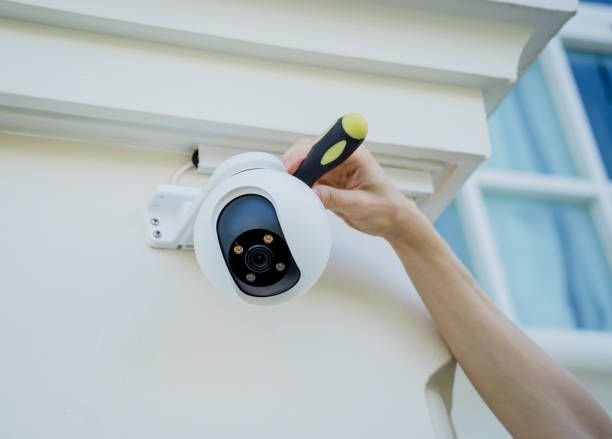
The crew arrives in the morning, walks through the plan with you one more time, and starts at the recording equipment location. They mount the NVR or DVR, run power, and begin pulling cables to each camera location.
Cable runs are the time-consuming part. Fishing wires through walls, attics, and crawlspaces takes patience. A typical 8-camera home install might require 200 to 400 feet of cable, all hidden in walls or run cleanly along baseboards or under eaves.
Once the cables are in, each camera gets mounted, connected, aimed, and tested. The recorder gets configured with the right settings — resolution, frame rate, motion detection zones, recording schedules.
A good crew leaves the property as clean as they found it. Drop cloths down, debris hauled away, holes patched if needed.
Step 8: Configuration and Walkthrough
Hardware installed isn’t the same as system ready. The configuration step is where a lot of cheap installs fall apart.
We set up:
- User accounts with strong passwords
- Mobile app access for the owner
- Cloud backup if requested
- Motion detection zones and alerts
- Recording schedules
- Network security settings (very important)
Then we walk through it all with you. Show you the app on your phone. Demonstrate how to play back footage. Show you where the recorder lives and how to check storage. Hand over written documentation and warranty info.
According to the U.S. Cybersecurity and Infrastructure Security Agency, default passwords and unsecured CCTV networks are responsible for a major share of compromised home security systems. We won’t leave a job until everything is locked down properly.
Step 9: First-Month Check-In
The best CCTV services include a check-in within the first 30 days. We come back, run a system diagnostic, verify everything is recording correctly, and answer any questions that have come up since install.
This is also when we catch things like cameras that have shifted slightly out of position, motion zones that need adjustment based on real activity patterns, or settings that need tweaking based on how you actually use the system.
The U.S. Census Bureau reports that home security spending nationally has grown significantly over the past several years, with CCTV systems accounting for a major portion of that growth. The market is bigger than ever, which means lots of installers — but also lots of fly-by-night operators who don’t do follow-up service.
Step 10: Ongoing Maintenance
Cameras and recorders need real maintenance to stay working long-term. Lenses get dirty. Mounting brackets loosen. Software needs updates. Hard drives wear out.
A good CCTV service offers a maintenance plan. Typical residential plans run $150 to $400 per year and include twice-yearly site visits, software updates, hardware diagnostics, and priority response for any issues. Commercial plans cost more but offer more frequent visits.
A maintenance plan is optional but smart. Camera systems that don’t get serviced typically start failing within 3 to 5 years. Serviced systems often last 10 to 15 years before major replacement is needed.
Wrapping It Up
CCTV camera services done right follow a real process — from the first call through ongoing maintenance years later. Cutting corners at any step usually shows up as system failures, hacked equipment, or footage that’s useless when you actually need it. Find a crew that takes the process seriously, gets the quote in writing, and stays around for the long haul. For Darby property owners ready to start a real CCTV project, the Best CCTV Setup and Maintenance in Darby, PA team is a strong place to begin the conversation.
FAQs
How long does a typical CCTV camera service install take from first call to finish?
For a residential job, plan on 3 to 6 weeks from your first phone call to the day everything is live and configured. That includes the walkthrough, design, contract signing, material ordering, and install. Small business jobs run similar timelines. Larger commercial projects can stretch to 8 to 12 weeks because of equipment lead times and permitting. A good crew gives you honest dates up front.
Do I need to be home during the CCTV install?
For most of the install, yes — at least for someone to let the crew in and answer questions about specific camera locations. The cable-pulling portion doesn’t strictly require your presence, but you’ll want to be there for the walkthrough at the end to learn how the system works. Plan on being available for at least a couple hours during the install window.
Will my CCTV system work during a power outage?
Standard installs lose power and recording function during outages. For continuous protection, you can add a UPS (uninterruptible power supply) battery backup that keeps the system running for 2 to 8 hours of outage. Cellular backup adds even more protection by switching to a mobile network if your home internet goes down. Both are optional upgrades worth considering for serious security applications.
Can my CCTV system see through windows at night?
Generally no — IR night vision reflects off glass and washes out the image. For nighttime coverage of indoor and outdoor scenes, separate cameras are needed for each side. Some newer cameras have settings to reduce reflection but they don’t fully solve the problem. A good installer walks through these limitations during the design phase so you have realistic expectations.
How often should CCTV cameras be cleaned or maintained?
Twice a year minimum for outdoor cameras, especially after winter storms and heavy pollen seasons. Spider webs, dust, and bird droppings on lenses kill image quality faster than people realize. Indoor cameras need less frequent cleaning but still benefit from a check every 6 to 12 months. A maintenance plan handles all of this without you having to think about it.